![[B] Bentley Publishers](http://assets1.bentleypublishers.com/images/bentley-logos/bp-banner-234x60-bookblue.jpg)
 Cart
Cart
Macintosh: How do I Switch Between Volkswagen Electronic Manual and AOL?
If you have MacOS 8.5 or higher, you can easily switch between Volkswagen Electronic Manual and AOL using your Control Strip and the Location Manager.
IMPORTANT: You must first create your Volkswagen Electronic Manual configurations as described in Macintosh: How do I Configure AppleTalk? and Macintosh: How do I Configure TCP/IP?.
-
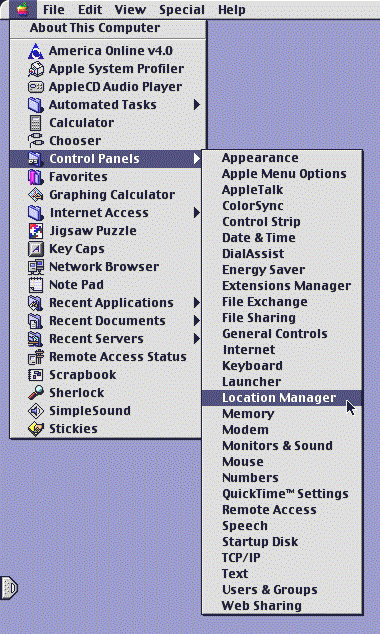
Click the Apple icon at the upper left corner of your screen. Select Control Panels from the list. Select Location Manager from the next list that appears to the right of the first list. Your screen will look something like this:
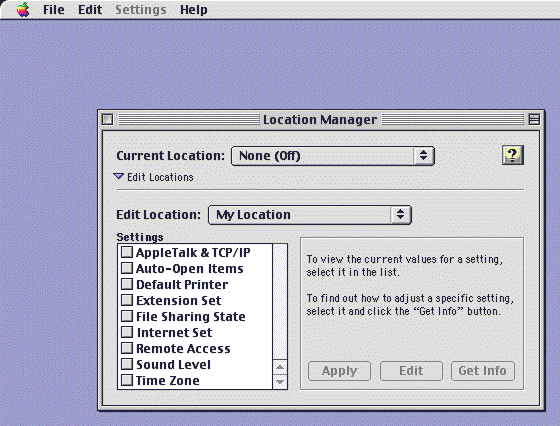
The Location Manager window will now appear on your screen (your settings may look different than the sample shown below):
-
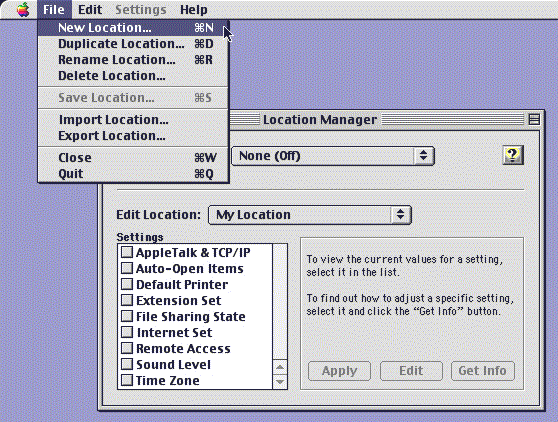
Select New Location... from the File menu:
-
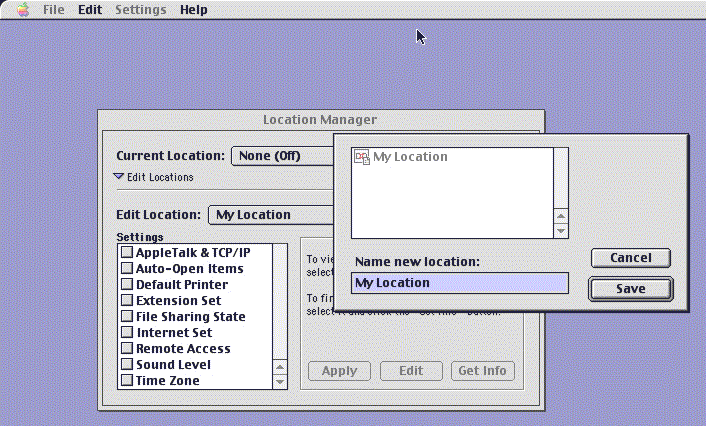
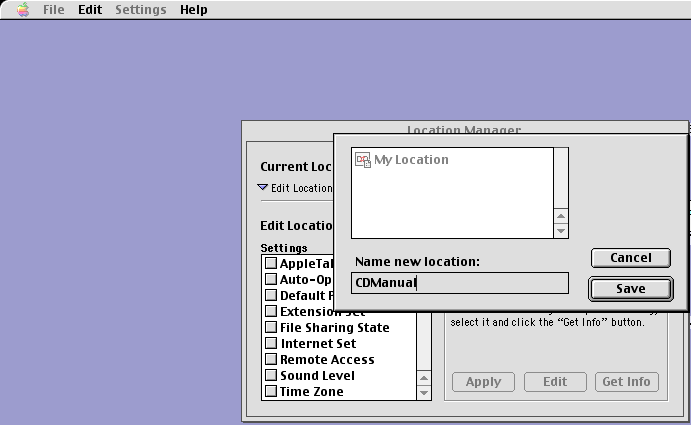
You will be prompted for the name of the new location:
-
Replace the text My Location with CDManual by typing it into the text box. Click the Save button.
-
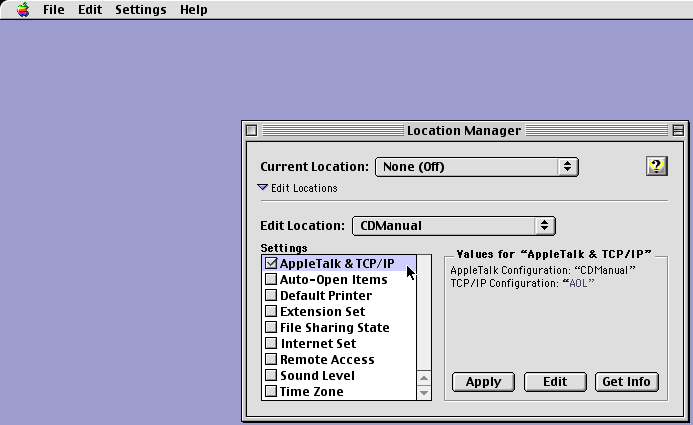
Click the box that appears next to AppleTalk & TCP/IP in the settings list so that a check mark appears.
-
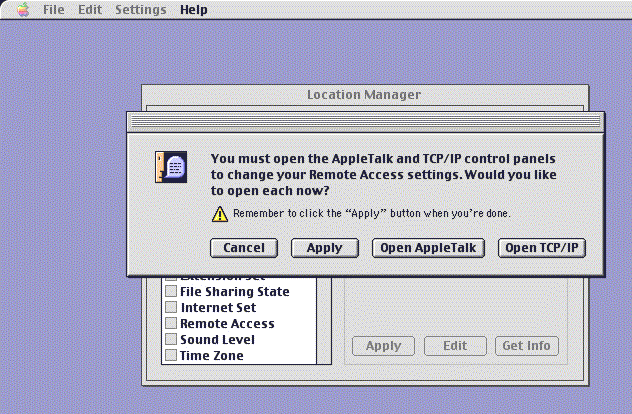
Click the Edit button and the following should appear. Click Open AppleTalk.
-
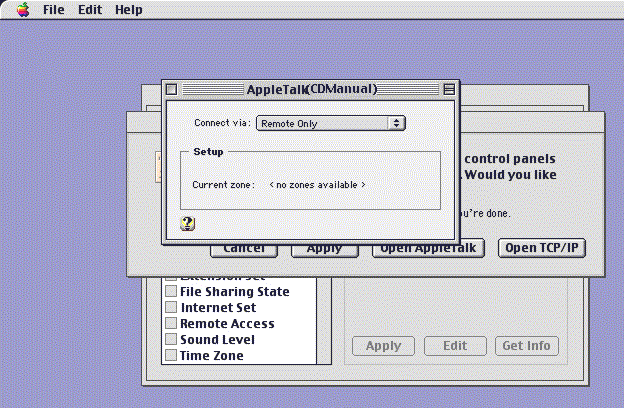
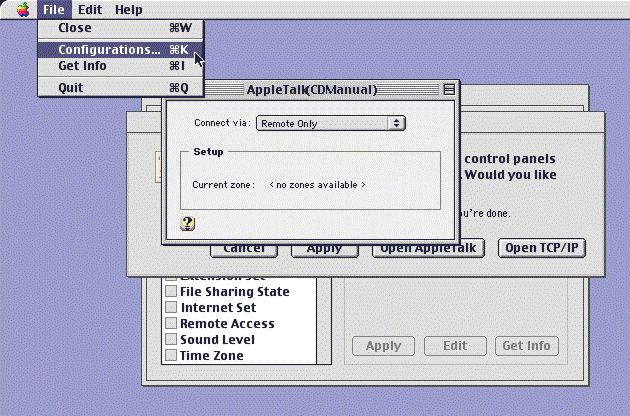
Your active AppleTalk configuration will now appear on your screen (your settings may be different than the sample shown below):
-
Select Configurations... from the File menu:
-
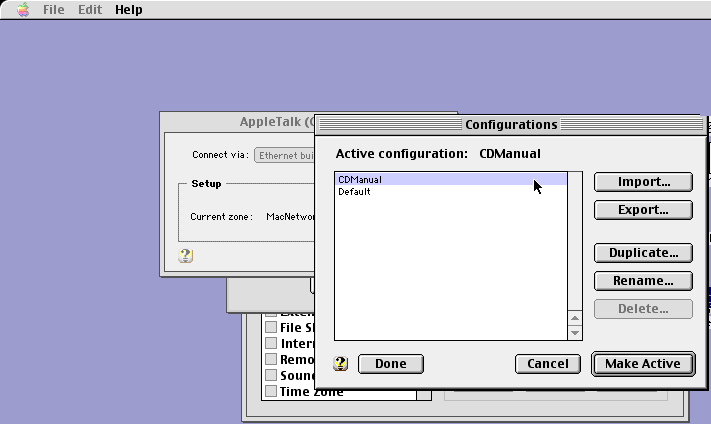
Highlight CDManual from the configurations list and Click the Make Active button:
-
Close the AppleTalk window. Your screen should now look like the one below. Click the Open TCP/IP button.
-
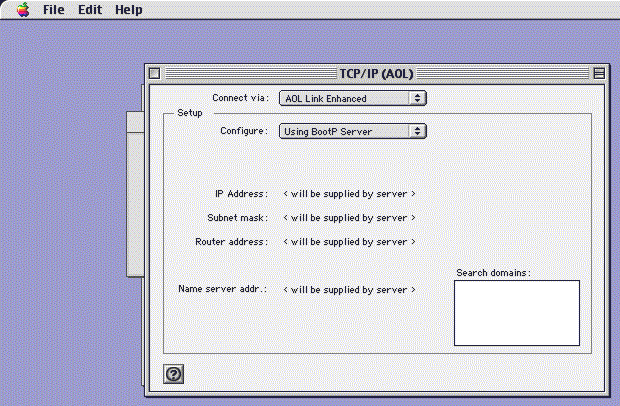
Your active TCP/IP configuration will now appear on your screen (your settings may be different than the sample shown below):
-
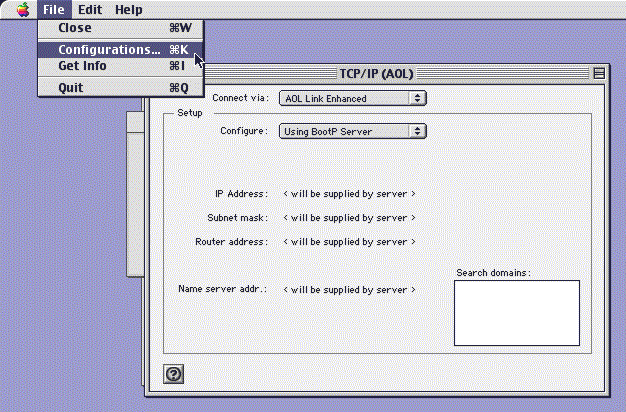
Select Configurations... from the File menu:
-
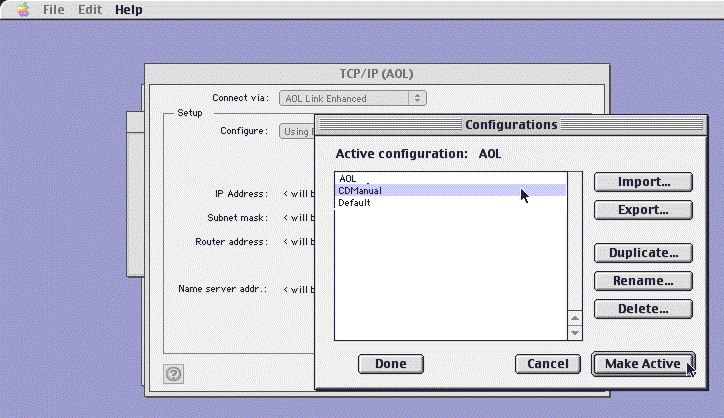
Highlight CDManual from the list of configurations (you may have more configurations listed than in the sample below) and click the Make Active button.
-
Close the TCP/IP window. Your screen should now look like the one below. Click the Apply button.
-
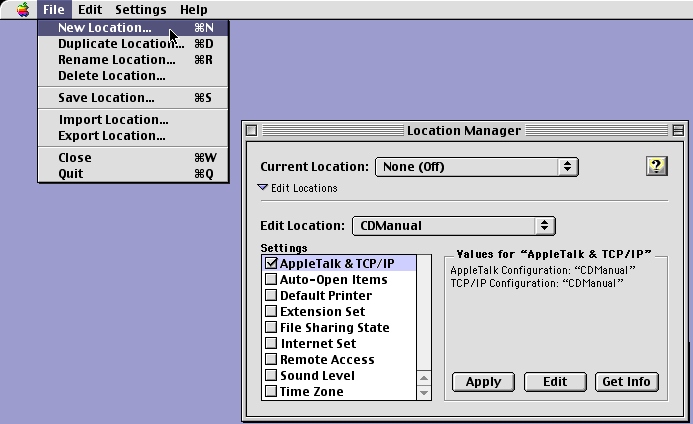
Select New Location... from the File menu:
-
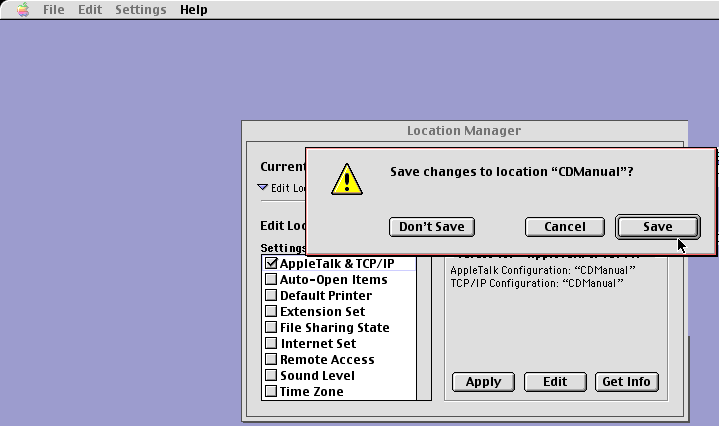
You will be asked whether you want to Save changes to location "CDManual"? Click the Save button.
-
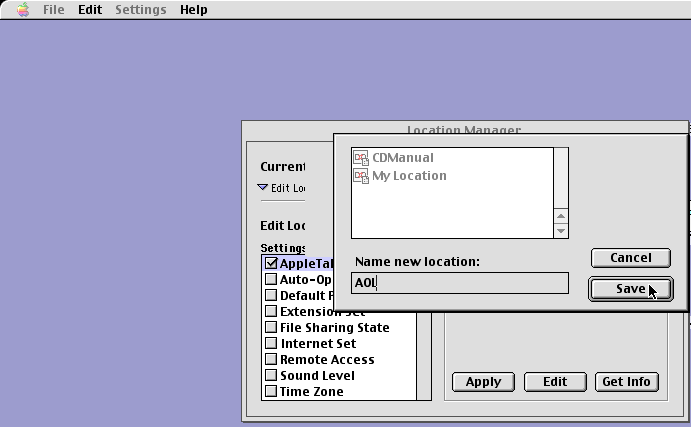
You will be prompted for the name of the new location. Replace the text My Location with AOL by typing it into the text box. Click the Save button.
-
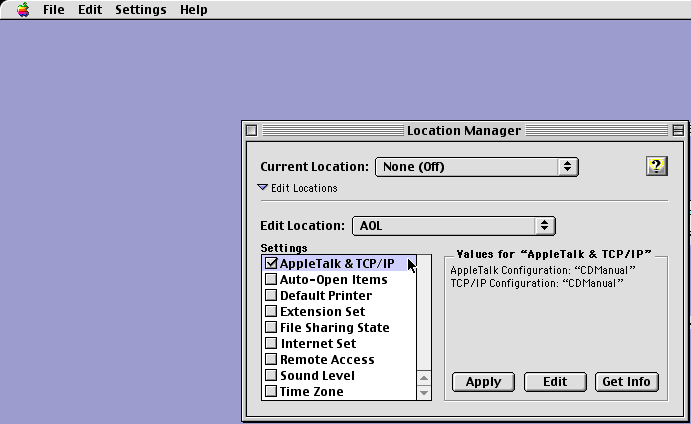
Click the box that appears next to AppleTalk & TCP/IP in the settings list so that a check mark appears.
-
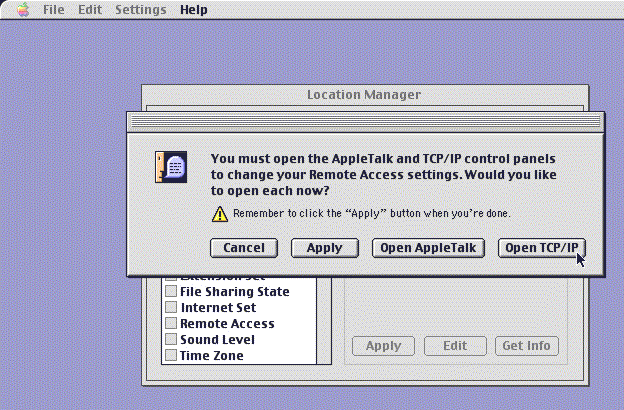
Click the Edit button and the following should appear. Click the Open TCP/IP button.
-
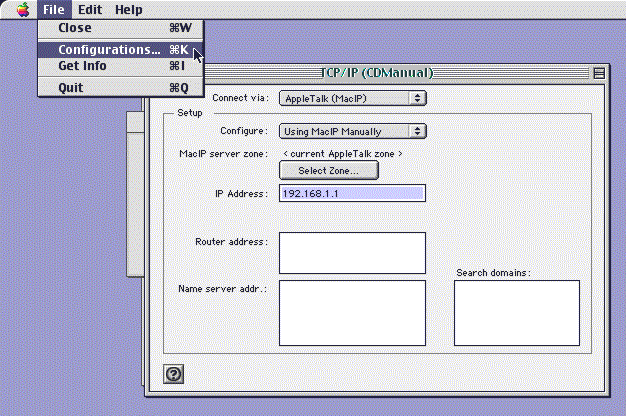
Select Configurations... from the File menu:
-
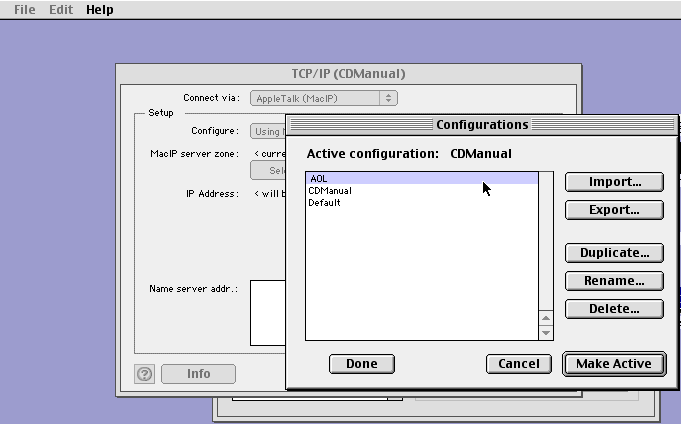
Highlight AOL from the list of configurations (you may have more configurations listed than in the sample below) and click the Make Active button.
-
Close the TCP/IP window. Your screen should now look like the one below. Click the Apply button.
-
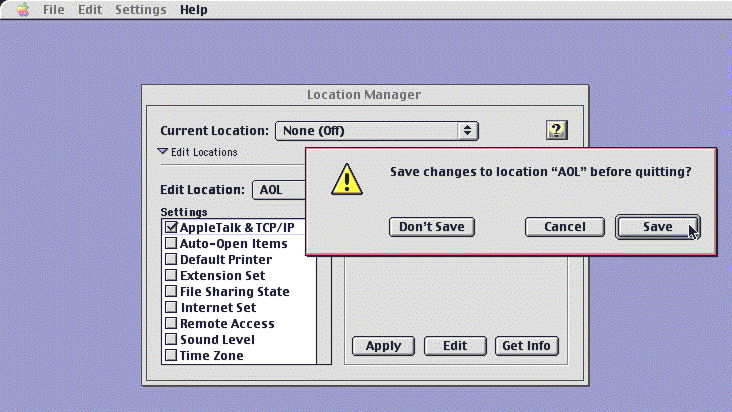
Close the Location Manager window. You will be asked whether you want to Save changes to location "AOL" before quitting? Click the Save button.
-
From now on, use the Control Stript to quickly switch between Volkswagen Electronic Manual and AOL. Expand your Control Strip and click on the Location Manager icon:
 .
.
Last Modified: 2000-01-06
 Facebook
 YouTube