![[B] Bentley Publishers](http://assets1.bentleypublishers.com/images/bentley-logos/bp-banner-234x60-bookblue.jpg)
 Cart
Cart
Macintosh: How do I Configure TCP/IP? (Audi TT only)
-
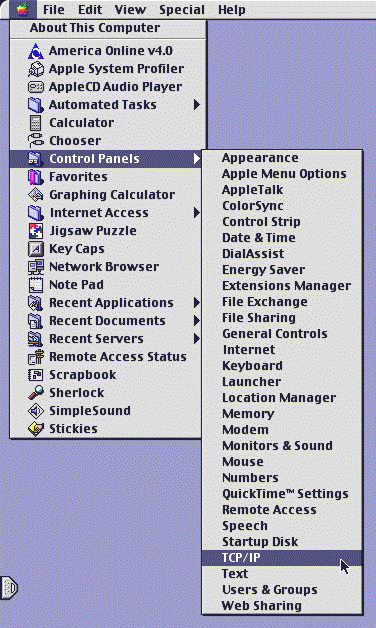
Click the Apple icon at the upper left corner of your screen. Select Control Panels from the list. Select TCP/IP from the next list that appears to the right of the first list. Your screen will look something like this:
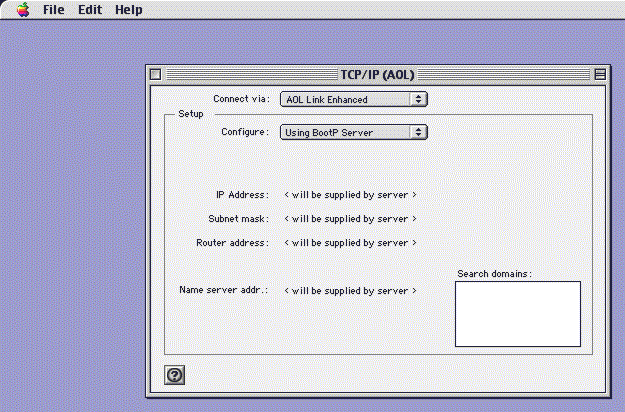
Your active TCP/IP configuration will now appear on your screen (your settings may be different than the sample shown below):
-
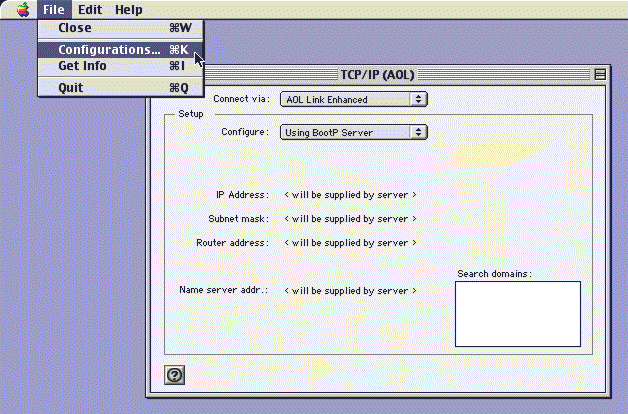
Select Configurations... from the File menu:
-
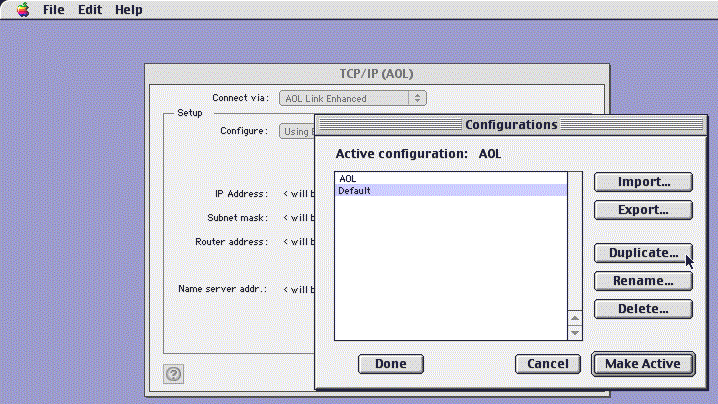
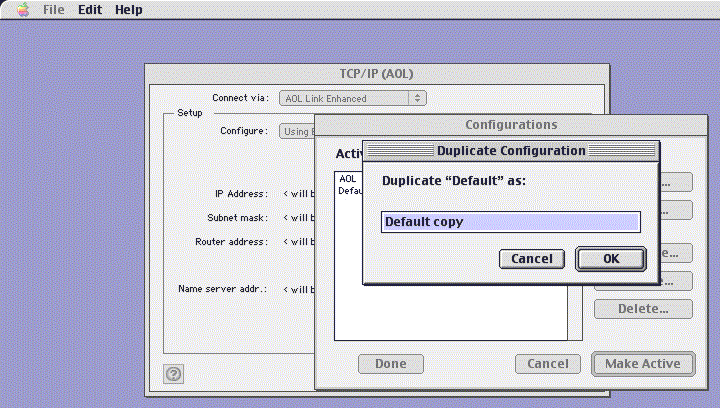
Highlight Default from the list of configurations (you may have more configurations listed than in the sample below) and click the Duplicate... button.
-
Your screen will look something like this:
-
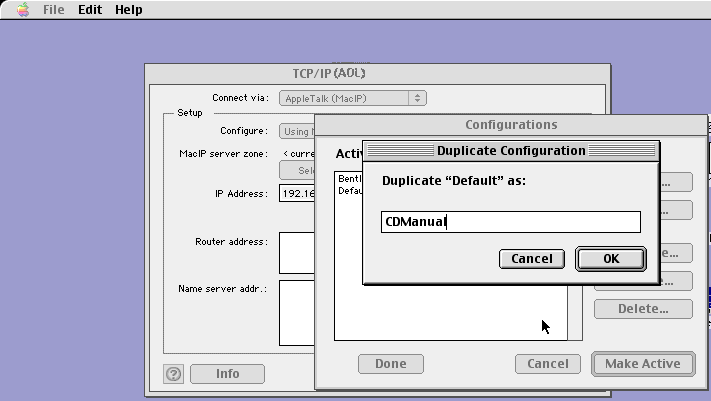
Replace the text Default Copy with CDManual by typing it into the text box. Click the OK button:
-
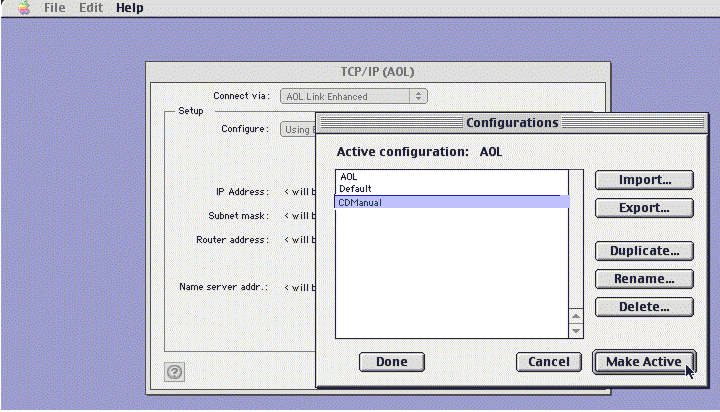
Highlight CDManual from the configurations list and Click the Make Active button:
-
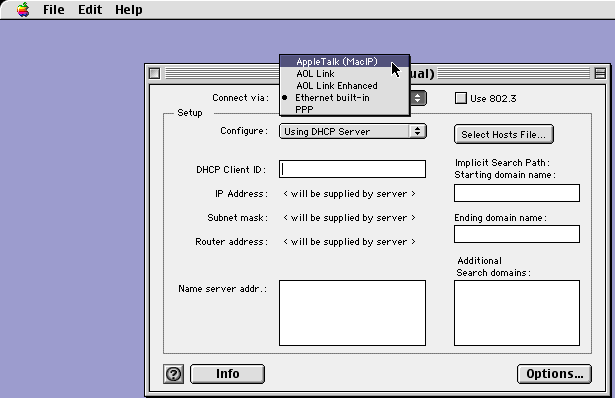
Select AppleTalk (MacIP) from the Connect via: pull-down list:
-
Select Using MacIP Manually from the Configure: pull-down list:
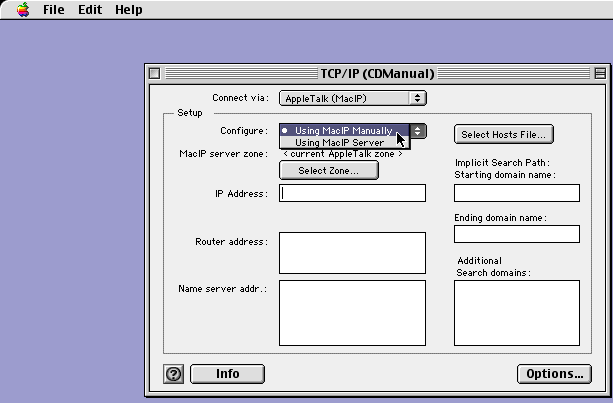
-
Type 192.168.1.1 into the IP Address: text box:
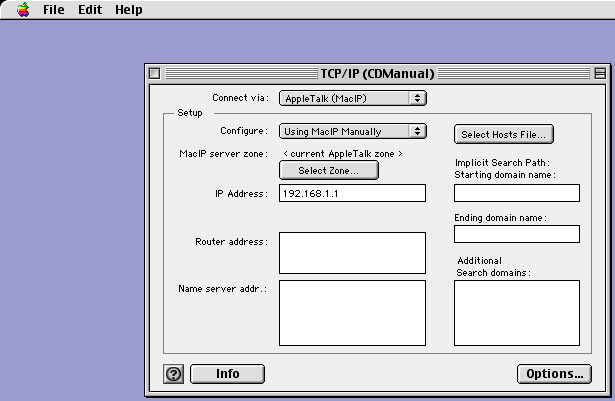
-
Your TCP/IP (CDManual) window should now look exactly like this one:
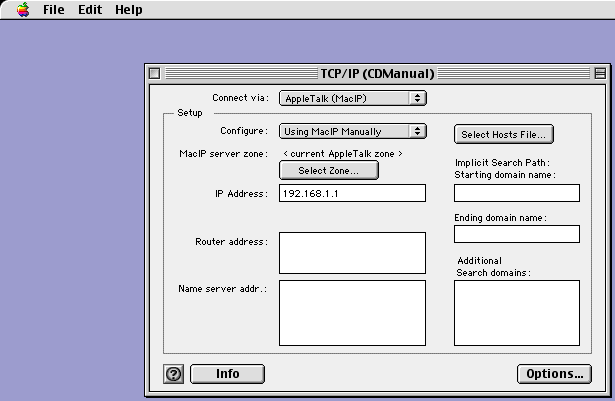
-
Close the TCP/IP (CDManual) window by clicking the small square at the upper left corner. You will be asked whether you want to save changes to this new configuration, click the Save button:
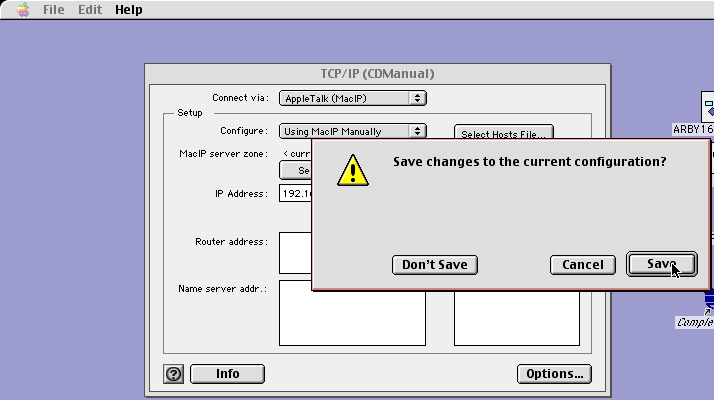
Last Modified: 2000-01-06
 Facebook
 YouTube