![[B] Bentley Publishers](http://assets1.bentleypublishers.com/images/bentley-logos/bp-banner-234x60-bookblue.jpg)
 Cart
Cart
Macintosh: How do I Configure TCP/IP?
-
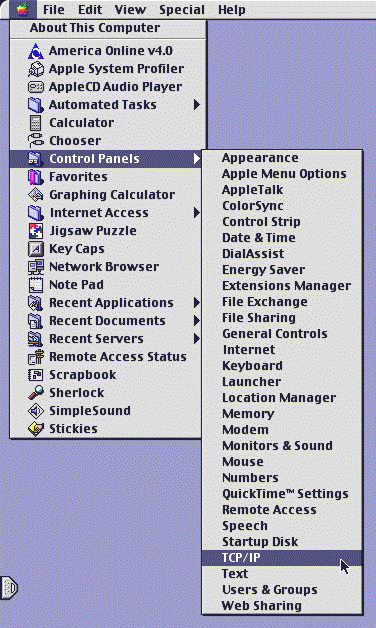
Click the Apple icon at the upper left corner of your screen. Select Control Panels from the list. Select TCP/IP from the next list that appears to the right of the first list. Your screen will look something like this:
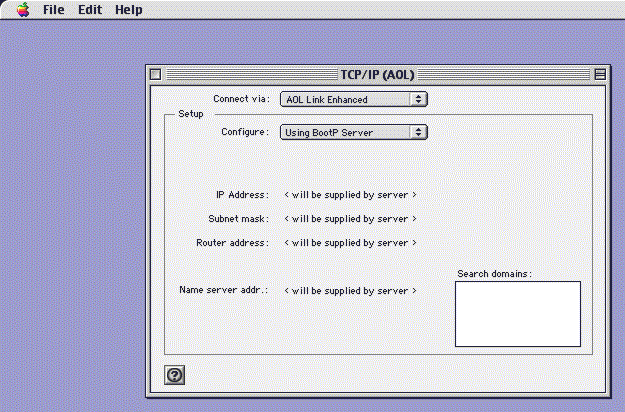
Your active TCP/IP configuration will now appear on your screen (your settings may be different than the sample shown below):
-
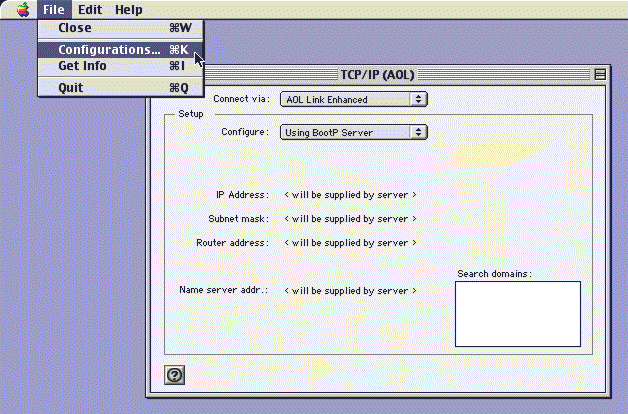
Select Configurations... from the File menu:
-
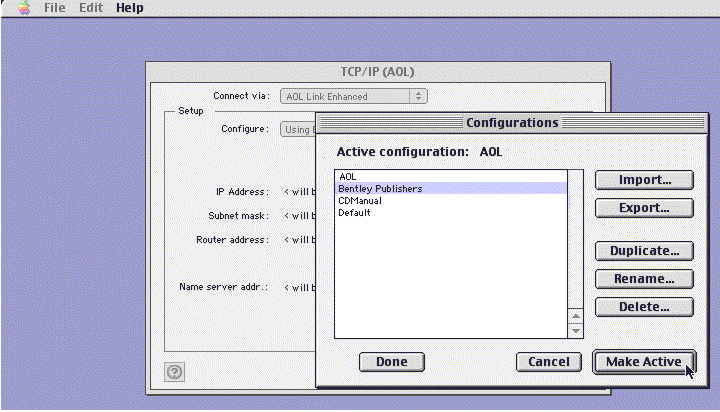
Highlight Bentley Publishers from the configurations list and Click the Make Active button:
-
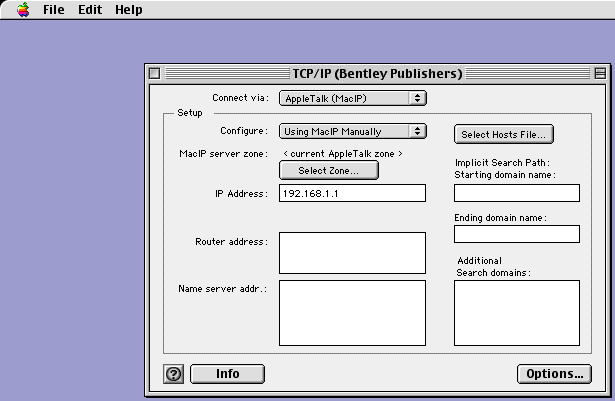
Your TCP/IP (Bentley Publishers) window should now look exactly like this one:
-
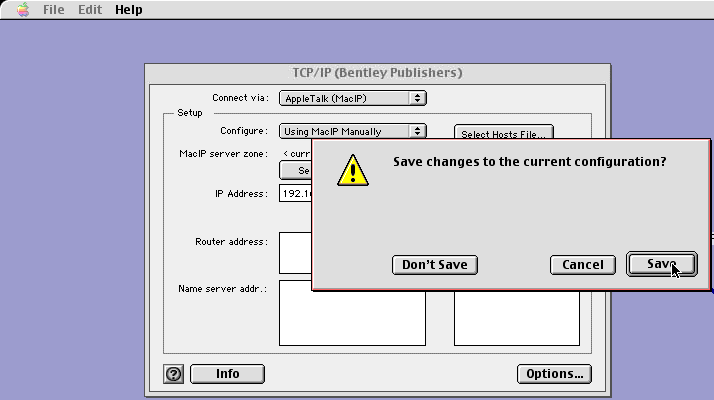
Close the TCP/IP (Bentley Publishers) window by clicking the small square at the upper left corner. You will be asked whether you want to save changes to this new configuration, click the Save button:
Last Modified: 2000-03-27
 Facebook
 YouTube