![[B] Bentley Publishers](http://assets1.bentleypublishers.com/images/bentley-logos/bp-banner-234x60-bookblue.jpg)
 Cart
Cart
Windows 95/98/NT: My Browser Prompts Me to Dial My Internet Provider or Work Offline.
You do not need a connection to the Internet to use the Audi Electronic Manual. However, the Internet Explorer browser will in some cases prompt you to dial your Internet Service Provider or ask you whether you want to Work Offline. Please make the following changes to Internet Explorer to avoid these prompts:
ATTENTION Internet Explorer 4.0 Users: After you start the Audi Electronic Manual the following prompt may appear:
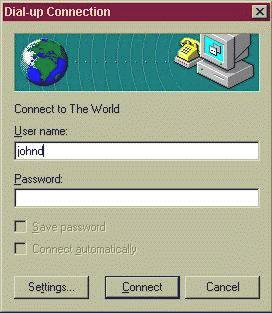
Click the Cancel button to continue.
Unfortunately, there is no way to stop this prompt from appearing every time you start the Audi Electronic Manual if you are using Internet Explorer 4.0. Therefore, we suggest that you upgrade your browser to version 5.0. You can install it from the Installation Disc. Locate the IE5 folder on your Installation CD-ROM and double-click the IE5Setup.exe file. After installing Internet Explorer 5.0, you should also make the configuration changes described below.
-
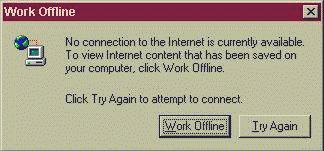
Click the Try Again button if you get a prompt like this one after you start the Audi Electronic Manual:
-
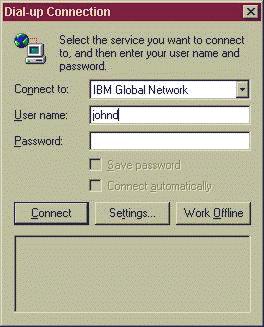
Click the Work Offline button if you get a prompt like this one after you start the Audi Electronic Manual:
-
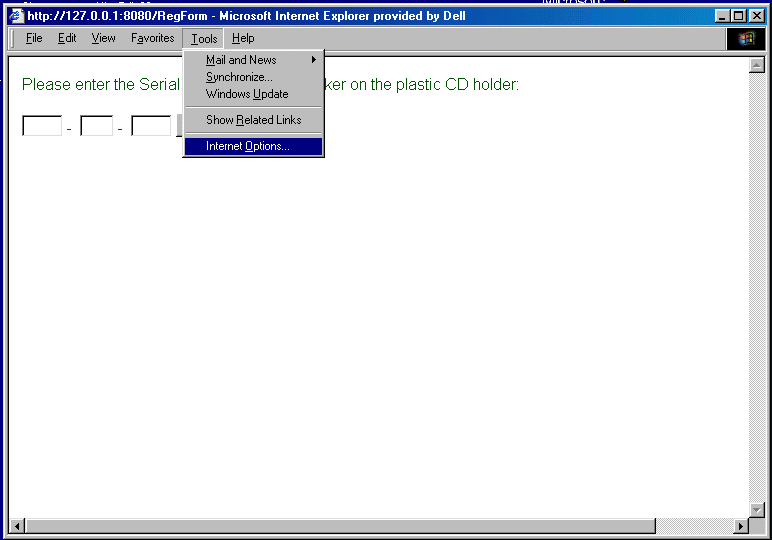
Choose Internet Options... from the Tools menu of Internet Explorer.
-
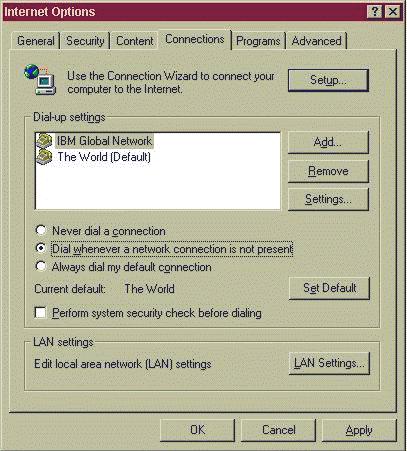
Click on the Connections tab:
-
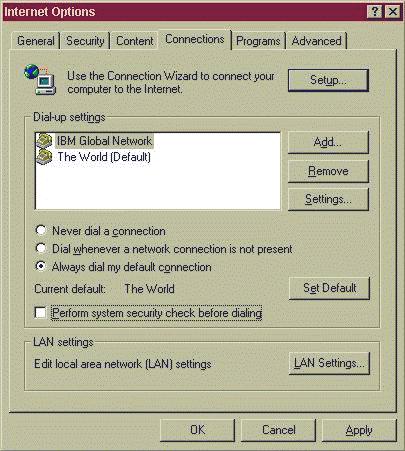
In the Dial-up settings section, click on the last option: Always dial my default connection.
Your screen should now look like this:
-
Click the Apply button.
-
Close Internet Explorer.
-
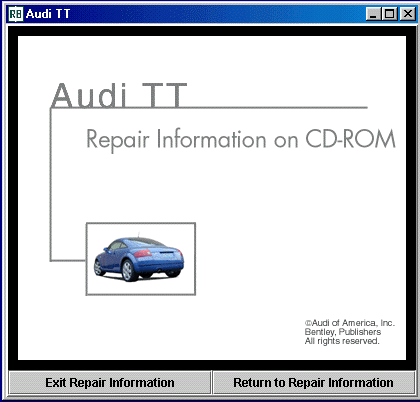
Close the Audi Electronic Manual by clicking inside the Exit Repair Information window:
-
Restart the Audi Electronic Manual by double-clicking the Audi Electronic Manual icon located on your desktop.
The Audi Electronic Manual should now run without any further prompts.
Last Modified: 2000-01-06
 Facebook
 YouTube